See which subscriptions you actually use.

GISSMI matches every subscription with proof you used it: visits to the gym, purchases at the store, minutes in the app. When the renewal comes around, you already know.

View on the App Store

For iPhone, in the U.S., ages 18 and up.

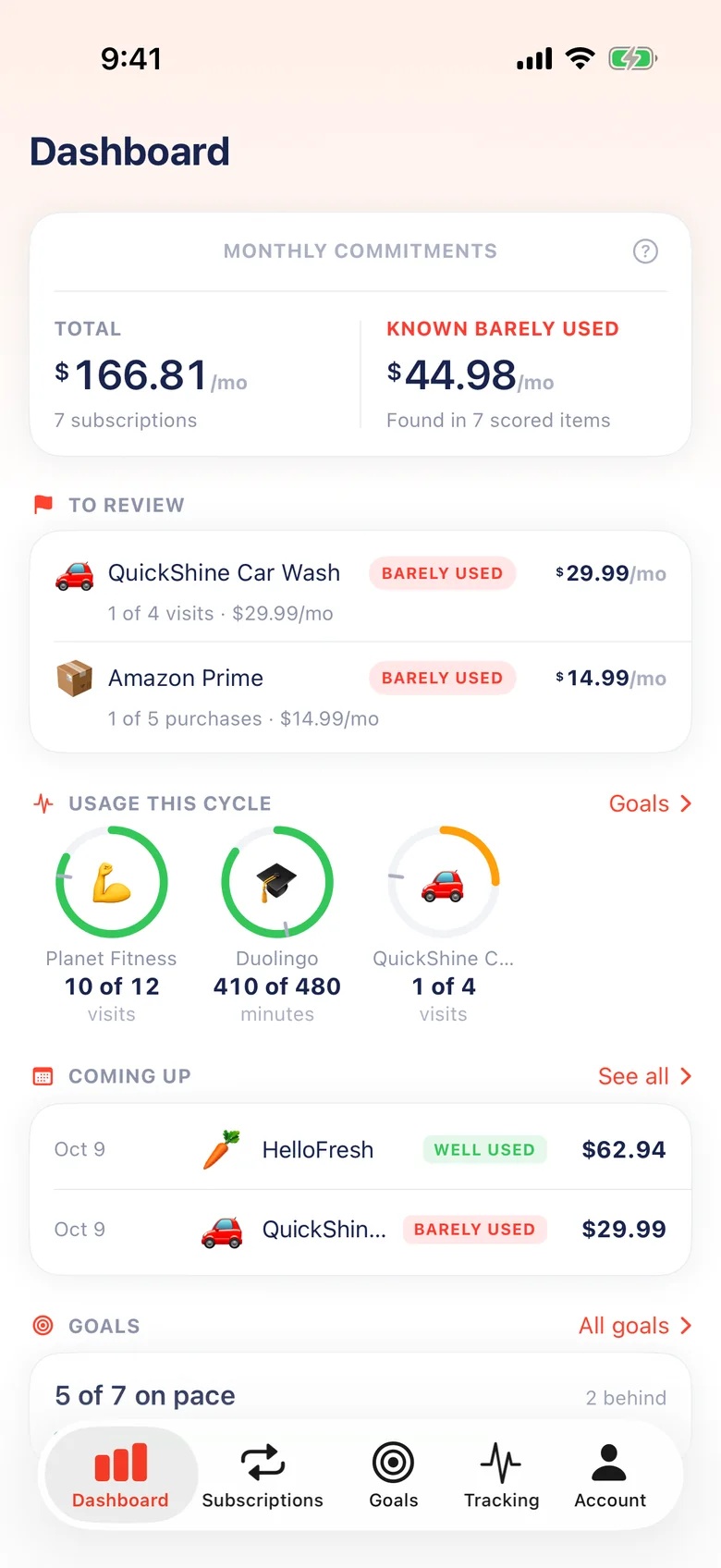
The GISSMI dashboard: $166.81 a month in subscriptions, $44.98 of it barely used, with QuickShine Car Wash and Amazon Prime flagged for review and usage rings for Planet Fitness, Duolingo and QuickShine.
A month in GISSMI Example data
SubscriptionPriceUsed this cycleVerdict
Planet Fitness $24.99/mo 10 of 12 visits Well used
QuickShine Car Wash $29.99/mo 1 of 4 visits Barely used
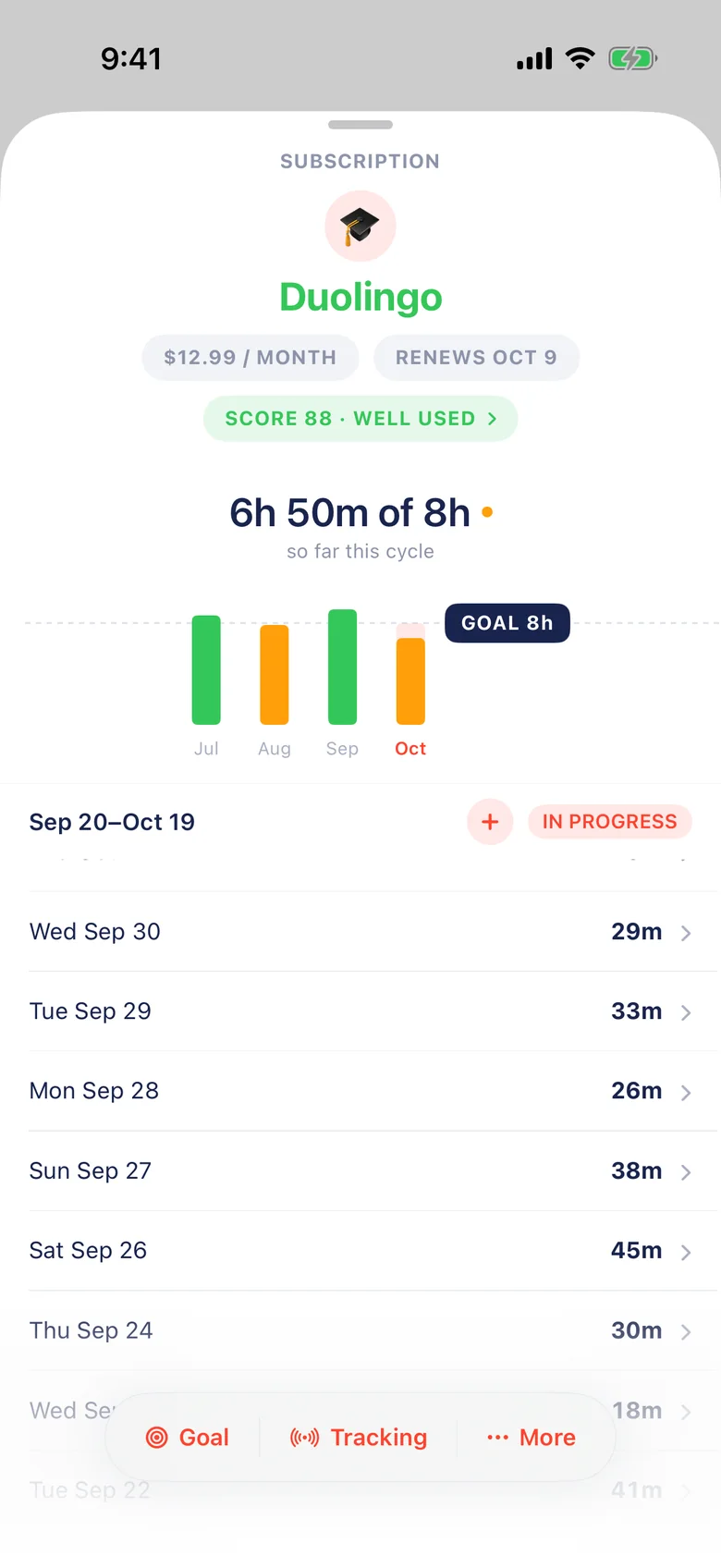
Duolingo $12.99/mo 6h 50m of 8h Well used
Netflix $15.49/mo 6h 25m of 10h Sometimes
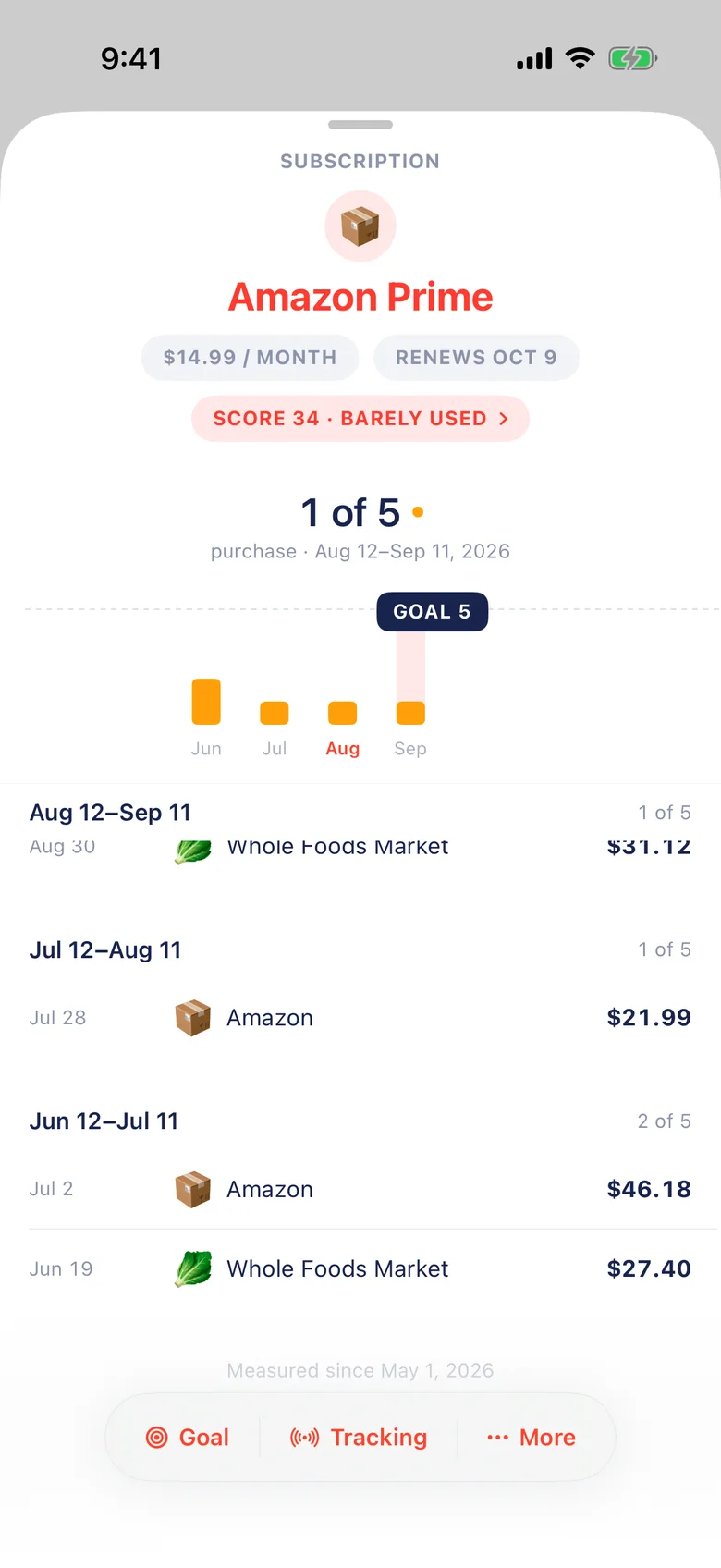
Amazon Prime $14.99/mo 1 of 5 purchases Barely used
$44.98 a month is going to subscriptions that are barely used.

Three ways to count real use

Each subscription gets the kind of proof that fits it. Turn on only what you need. Every method is optional.

Visits to the places you pay for

Choose your gym, studio or car wash on a map. GISSMI counts a visit when you stay long enough, and skips the times you only drive past.

Gym or classes
20 minutes or more
Car wash or pickup
5 minutes or more
Club or coworking
45 minutes or more

One visit counts per day. The places you choose stay on your iPhone, so GISSMI receives the visit, never the location.
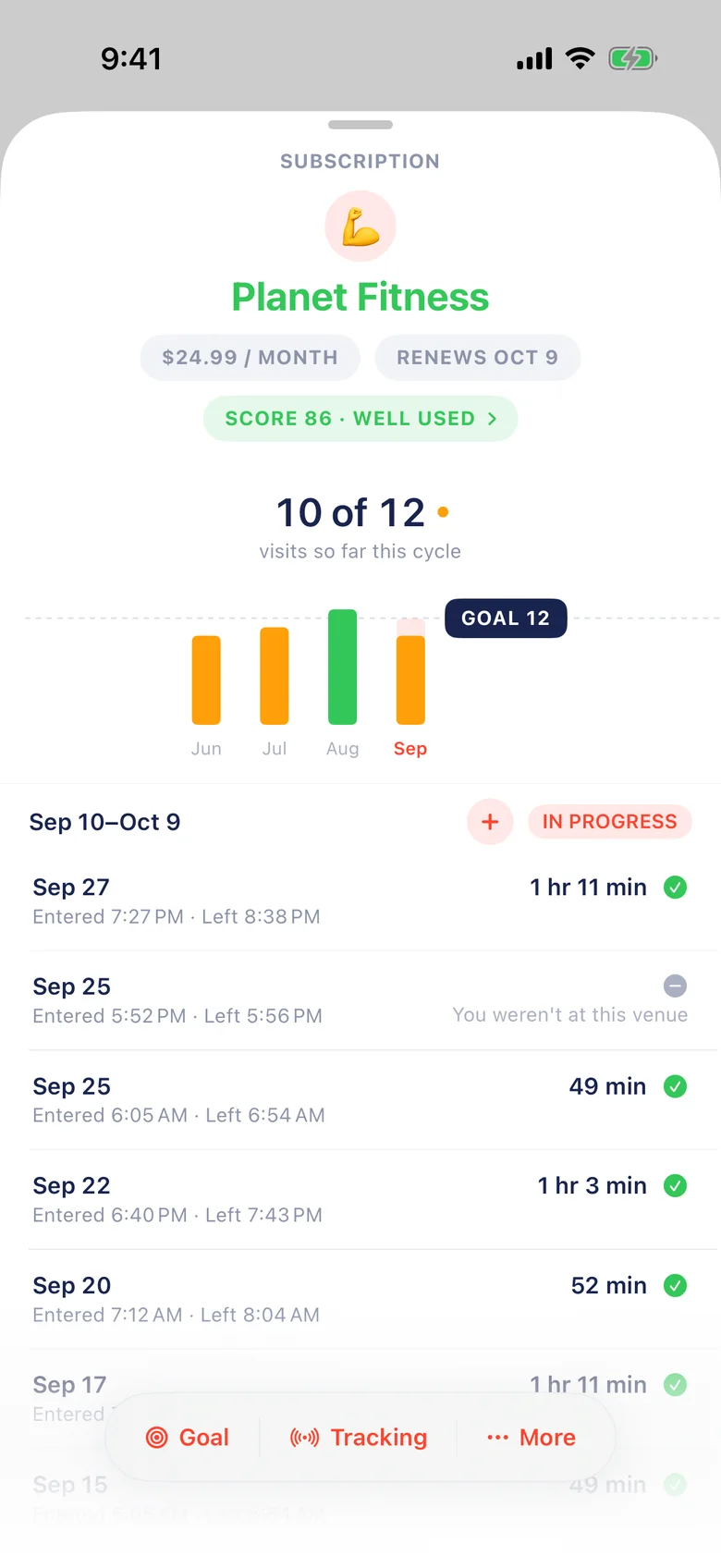
Planet Fitness in GISSMI: 10 of 12 visits this cycle, each visit listed with arrival and departure times, and a four-minute stop marked as not at this venue.
Each gym visit, with when you arrived and left.
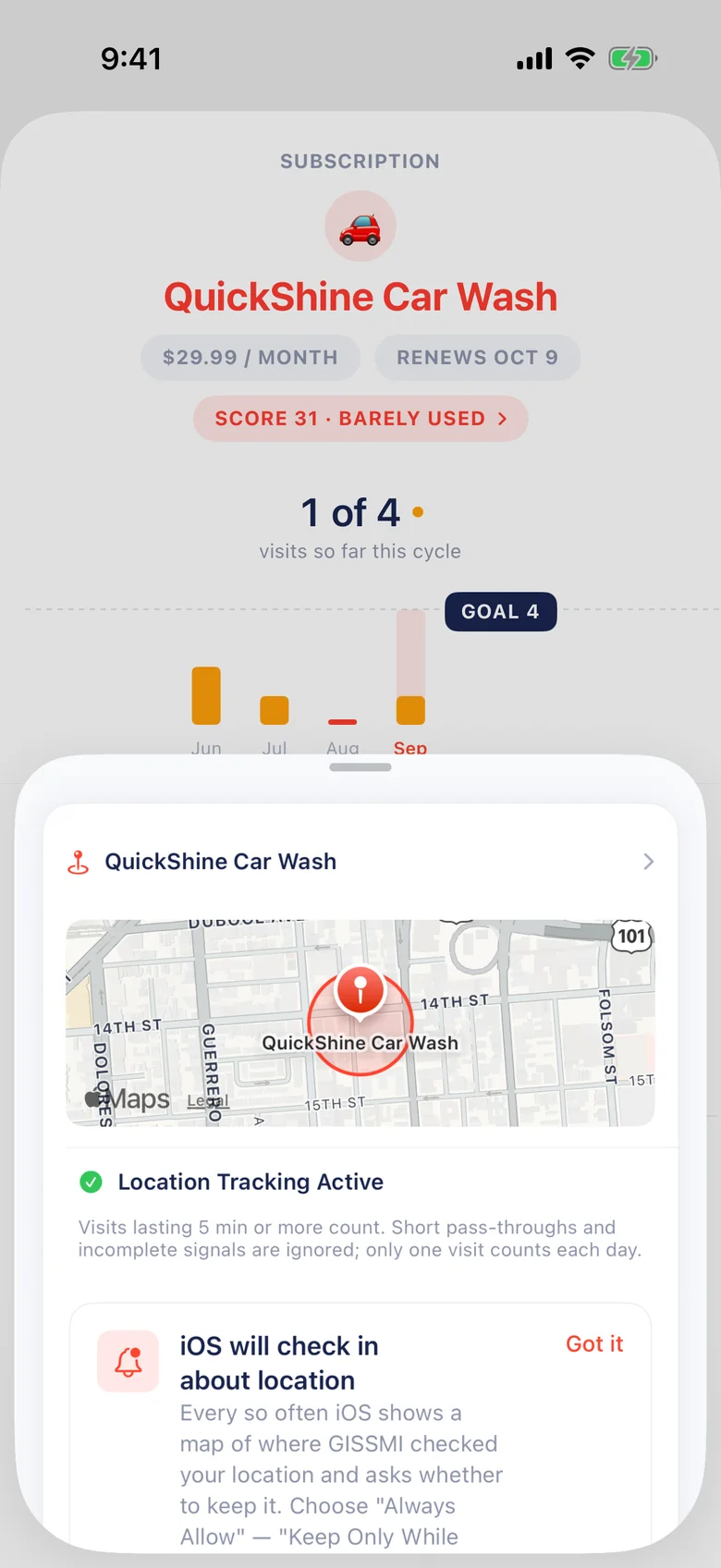
QuickShine Car Wash location tracking on a map, with the rule that visits lasting 5 minutes or more count.
A car wash only needs a five-minute stop.

Purchases at the merchants that count

Some memberships only pay off when you buy something. Connect your bank or card through Plaid, then choose which merchants count. For Amazon Prime, that might be Amazon and Whole Foods.

The rest of your spending stays out of it. GISSMI never sees your bank username or password.

Amazon Prime in GISSMI: 1 of 5 purchases this cycle, with purchases at Amazon and Whole Foods Market listed under each billing cycle.
Amazon and Whole Foods purchases, cycle by cycle.

Minutes in the apps you subscribe to

Pick the app behind a subscription with Apple’s Screen Time picker and set a goal for each billing cycle. GISSMI adds up your minutes day by day.

Apple keeps the apps you pick private. GISSMI gets the time for that one subscription, not your Screen Time history.

Duolingo in GISSMI: 6 hours 50 minutes of an 8 hour goal, with minutes listed for each day of the cycle.
Duolingo: daily minutes toward an 8-hour goal.

A score that shows its working

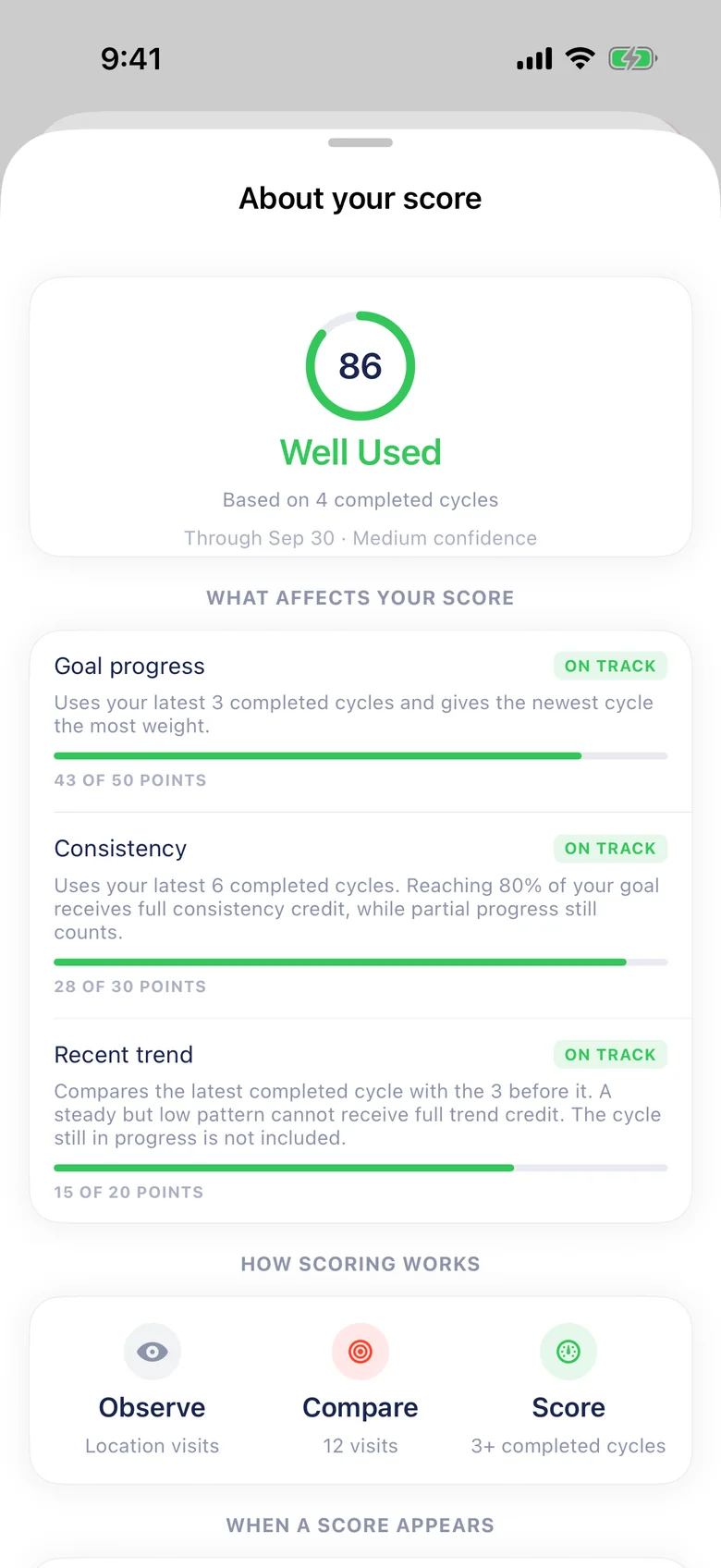
After three completed billing cycles, each subscription gets a usage score out of 100. Tap it to see where every point came from.

Goal progress 43 / 50
Your last three cycles against your goal, with the newest counting most.
Consistency 28 / 30
How often you reach 80% of your goal across six cycles.
Recent trend 15 / 20
Your latest cycle compared with the three before it.

A day with no data is a gap, not a zero. And GISSMI never cancels anything. The decision stays with you.

About your score for Planet Fitness: 86, Well Used, based on 4 completed cycles, with goal progress, consistency and recent trend each on track.

Every renewal, sorted by whether it’s earning its place

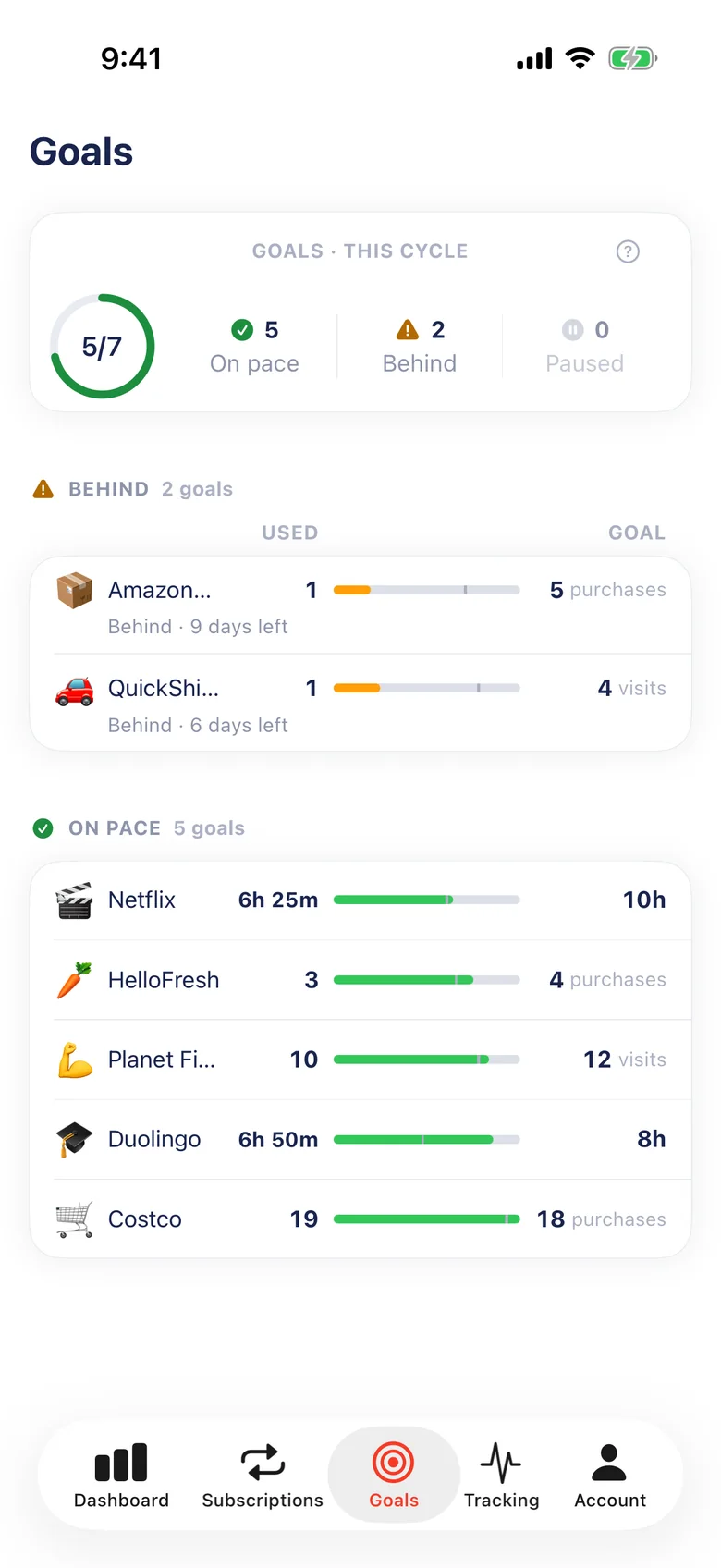
Goals shows what’s on pace this cycle. Tracking shows what’s well used and what needs a second look.

The Goals tab: 5 of 7 goals on pace, with Amazon Prime and QuickShine Car Wash behind.
Goals: 5 of 7 on pace this cycle.
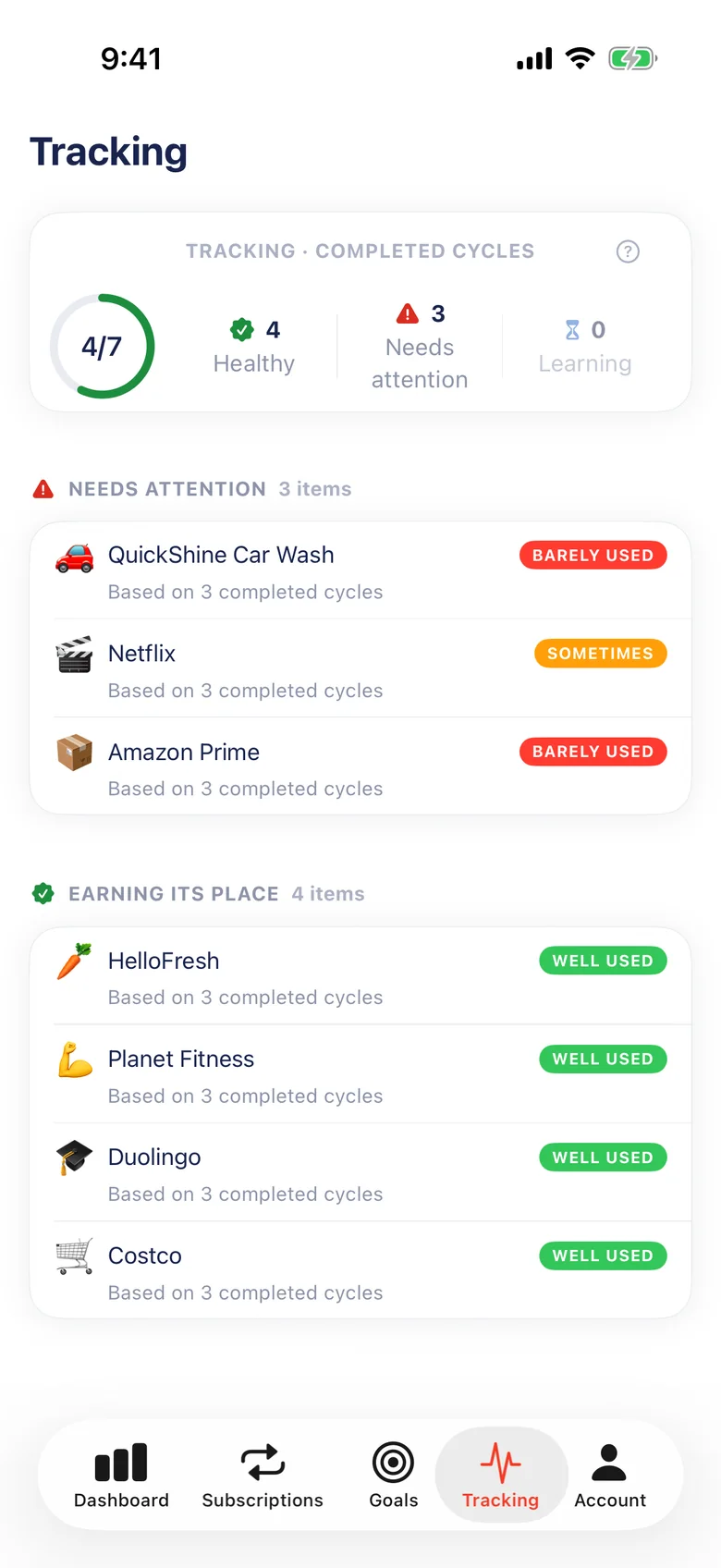
The Tracking tab: QuickShine Car Wash, Netflix and Amazon Prime need attention, while HelloFresh, Planet Fitness, Duolingo and Costco are well used.
Tracking: what’s worth keeping, based on completed cycles.

What GISSMI sees, and what it doesn’t

GISSMI receives

  • Transactions and recurring charges from accounts you connect through Plaid
  • When you arrive at and leave the places you choose
  • Time spent in the app tied to a subscription

GISSMI never receives

  • Your bank username or password
  • Where the places you choose are
  • Your full Screen Time history

No ads, and your personal information is never sold. You can delete your account from Settings in the app. Read the Privacy Policy

Questions

Which subscriptions can GISSMI track?

GISSMI finds recurring charges in the bank and card accounts you connect. For each one you can count visits, purchases at chosen merchants, or Screen Time minutes, whichever fits how you use it.

Do I have to turn on every kind of tracking?

No. Choose a method per subscription. Screen Time and location tracking are optional, and you decide which permissions to grant.

Why doesn’t a new subscription have a score yet?

A fair score needs history. GISSMI waits for a confirmed goal and three completed billing cycles. Until then you still see progress, and missing evidence is never counted as zero use.

Will GISSMI cancel subscriptions for me?

No. GISSMI shows you how much you use each subscription. You cancel or change it with the provider, or through Apple for App Store subscriptions.

Where is GISSMI available?

GISSMI is for iPhone users in the United States aged 18 and over. Check the App Store listing for device requirements.

Something else? Visit Support or email [email protected].

Know before it renews.

View on the App Store